✍️
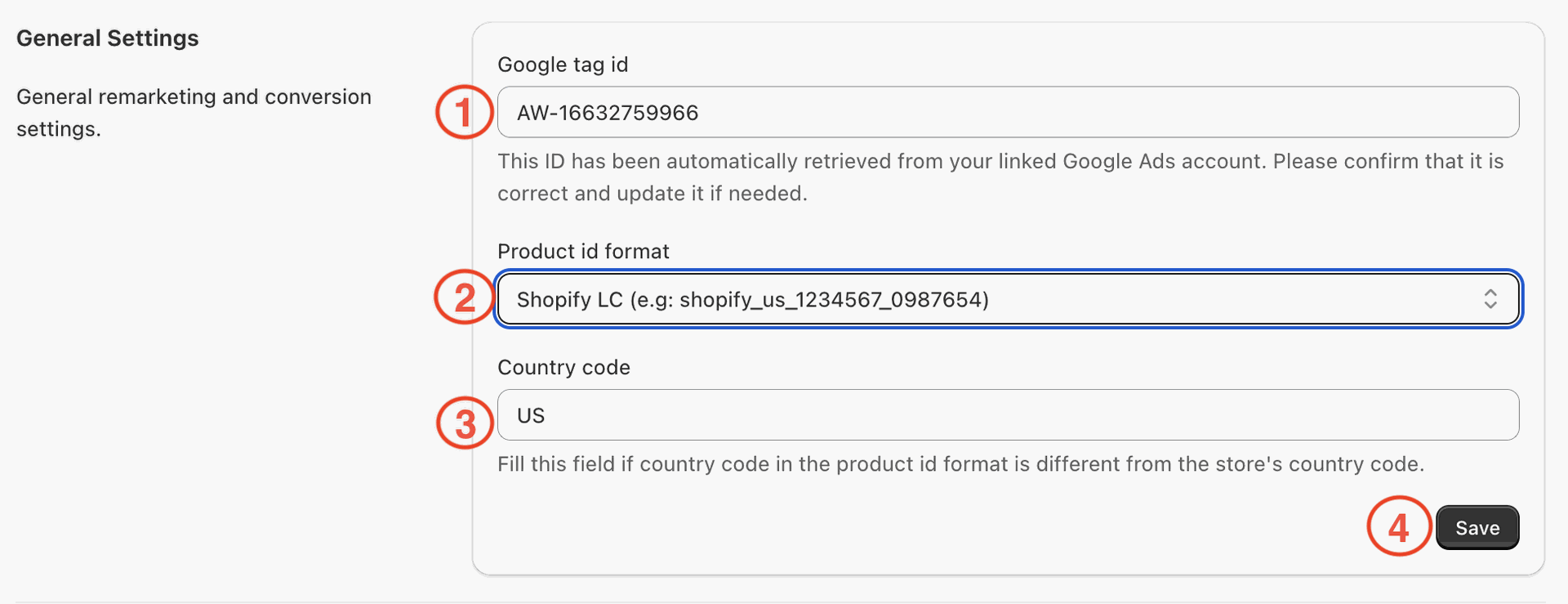
Google Ads General Settings Configuration
1. Trackywise app will automatically retrieve Google tag id from your Google Ads account. You should check that it is correct and update if needed.
2. Select the correct product id format. It is crucial that it matches the product id format in your product feed.
3. Enter the country code in the product id format. You can leave it blank if it the same as the store's country code.
4. Click 'Save' to save changes.